Features
See what's in the sky—and what's coming next.
Apphemeride calculates how the Sun, Moon, planets, Pluto, Chiron, and more than 9,000 stars move across the sky—for your location or any place you choose on Earth. Discover upcoming events, plan observations, and explore astronomical values in detail.
All astronomical calculations and observing tools work directly on your device. Only street and address searches and online map data require an internet connection.
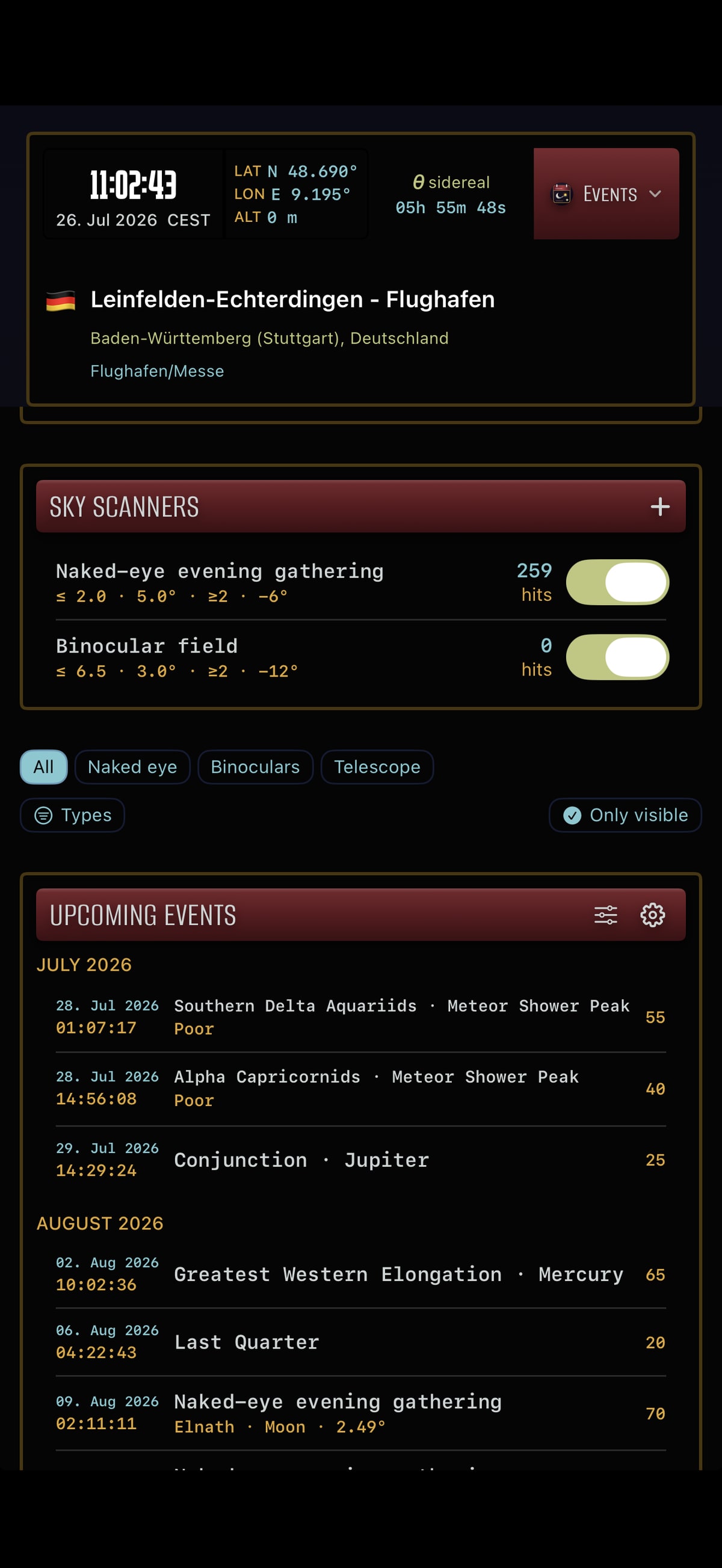
Events and photo opportunities
Discover what's happening next in the sky.
Apphemeride searches for upcoming celestial events at your chosen location. See when an event can be observed or photographed, how high it will be in the sky, and which direction to look. From any result, jump straight to the sky map or the celestial objects involved.
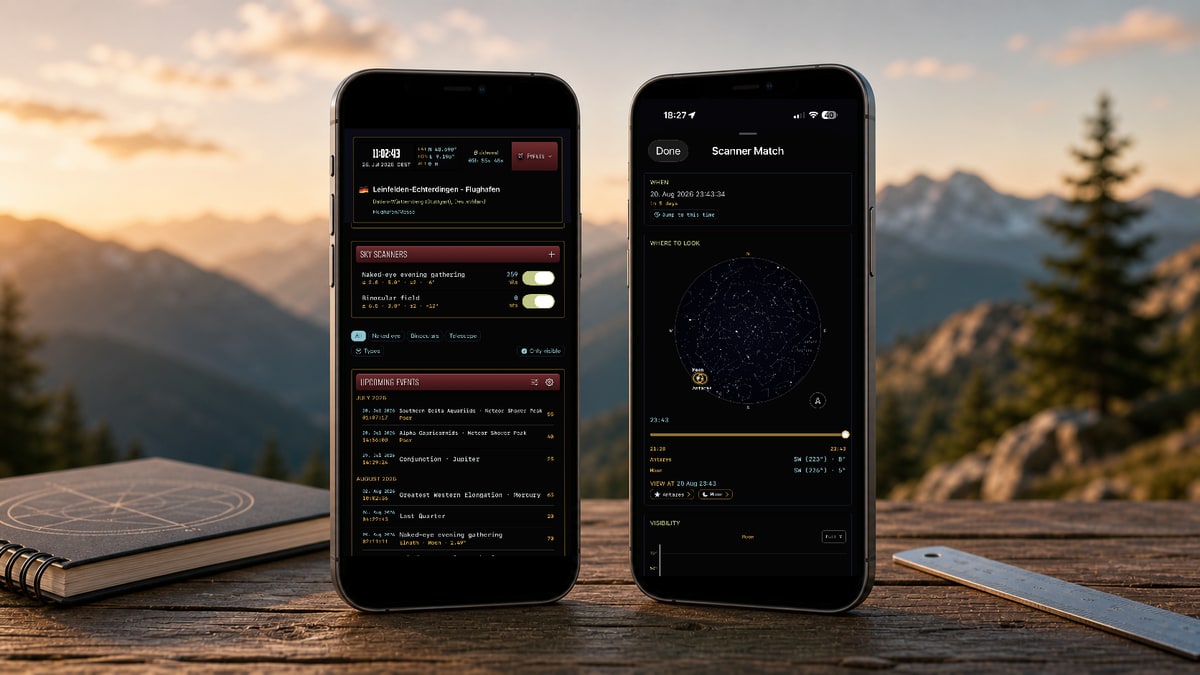


- notable alignments and close approaches involving planets, moons, and stars
- conjunctions, oppositions, elongations, and retrograde phases
- potential lunar occultations at your location
- transits of Mercury and Venus across the Sun
- twelve major annual meteor showers, including the Perseids
- location-specific observing and photography windows
Custom scanners
Create your own search profiles by combining limiting magnitude, angular separation, number of objects involved, and solar depression. Instead of searching only for known events, you can find the exact configurations that matter to your observing plans.
Sky map
See where an event will appear in the sky, with constellations, multiple orientation modes, an adjustable limiting magnitude, and objects you can select directly. Orient the map to north, the zenith, your compass heading, the direction of motion, or a manually chosen direction.
Horizon Tracker
Know when a celestial object rises, where it is, and where it's headed.
Follow rise, meridian transit, and set times, together with azimuth and altitude above the horizon. A compass shows you where to look. Daily, monthly, and yearly views reveal how the path, light conditions, and visibility windows change with location and season.
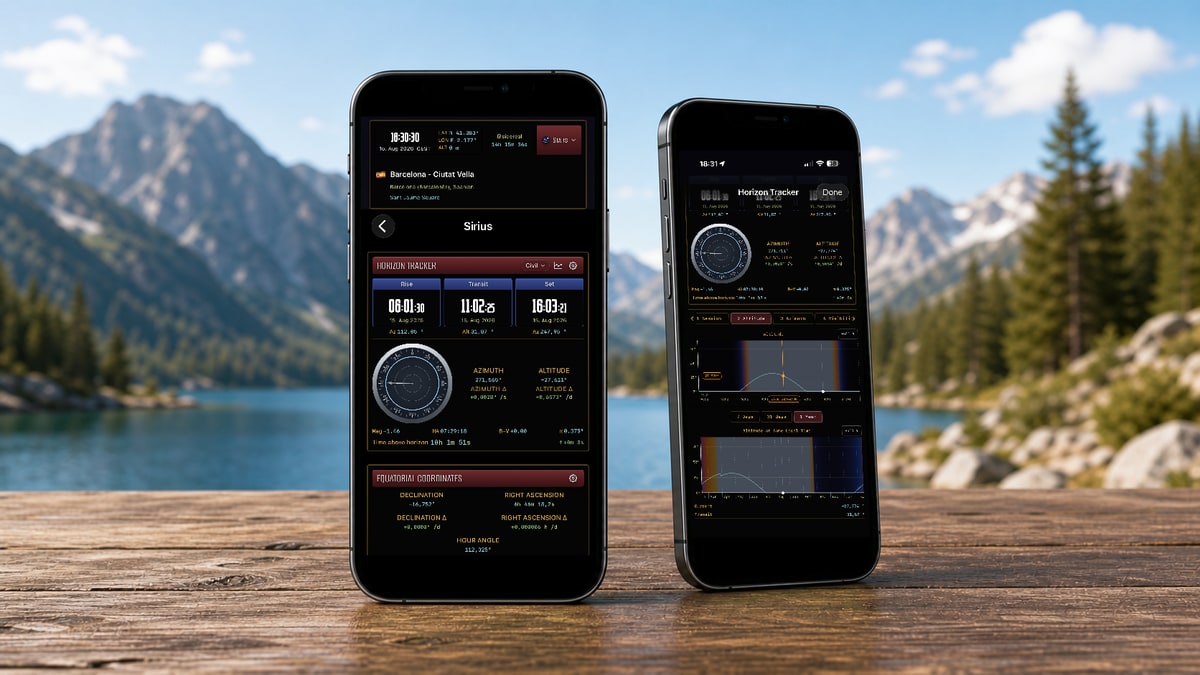


- current direction and altitude above the horizon
- rise, meridian transit, and set times
- day length, apparent solar time, and the equation of time
- rates of change per second, minute, hour, or day
- daily, monthly, and yearly views
- twilight, golden hour, and other light conditions
- visibility within a defined viewing direction
- azimuth comparisons across geographic latitudes
Three calculation cycles
- Civil
- Limits the search to the current calendar day.
- Nadir
- Uses the celestial object's lowest point as the cycle boundary. This often pairs the corresponding rise and set times for nighttime observations.
- Session
- Shows the previous rise and the next set, even when an object remains visible or invisible for days or weeks at high latitudes.
Example
If you know the orientation of a window, balcony, or observing site, Apphemeride shows when the Sun, Moon, or a planet will appear within that exact viewing corridor.
Location and time
Calculate for your GPS location, a street address, or precisely entered coordinates. Choose any date and time. Display times in the selected location's time zone or your system time zone.
Scientific depth
Compare positions—and how they change.
Apphemeride combines horizontal, equatorial, and ecliptic coordinates with time-based views and visual comparisons. Follow changes in position, distance, and other measurements, and display the same values in the formats that fit the way you work.
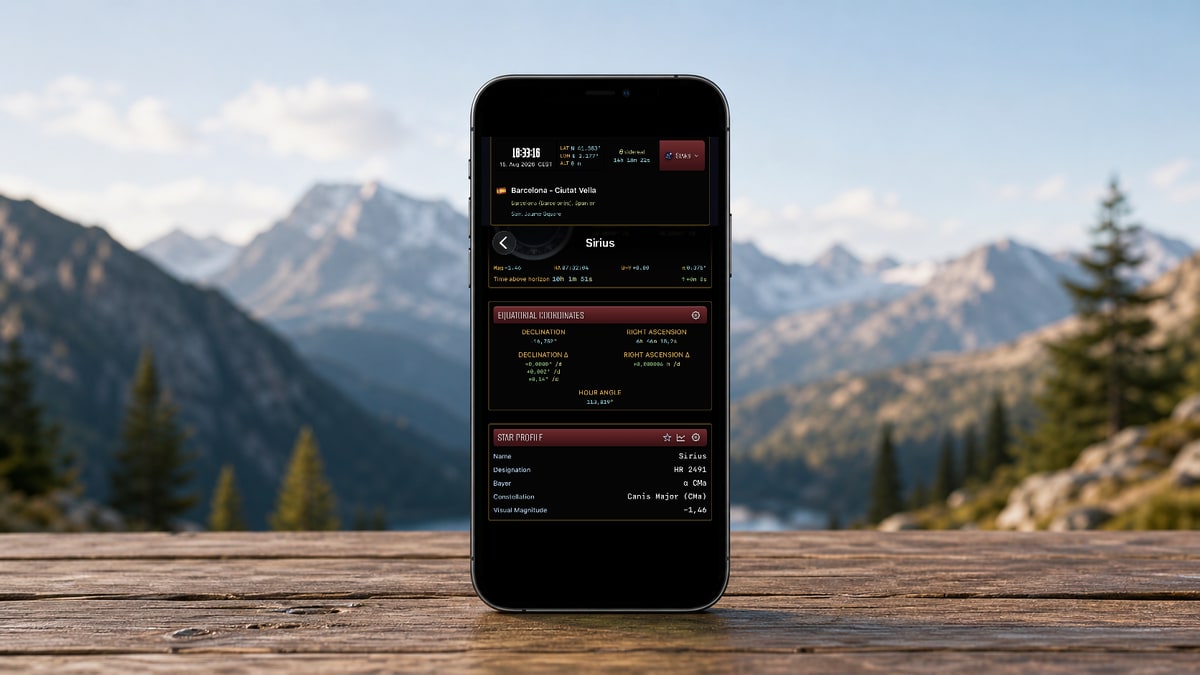

- horizontal, equatorial, and ecliptic coordinates
- visual comparison of coordinate systems
- distances from Earth or the Sun
- light-travel times, angular diameter, illumination, phase, and brightness
- time-based views and rates of change
- decimal degrees, degrees-minutes-seconds, and other supported formats
- multiple formats of the same value at once
- configurable precision and presentation
Example
Display an angle in decimal degrees and DMS at the same time, or compare how quickly azimuth and altitude change per minute. Apphemeride presents these values for observing, study, and your own verification.
Visualization and calculation
See the Moon and planets as they appear from your location.
Calculation-based 3D views show the phase, illumination, and orientation of the Moon and planets. For the Moon, they also reveal details such as libration and the position of the terminator. Saturn has a dedicated ring view, and dedicated moon-system views are available for Jupiter and Saturn.
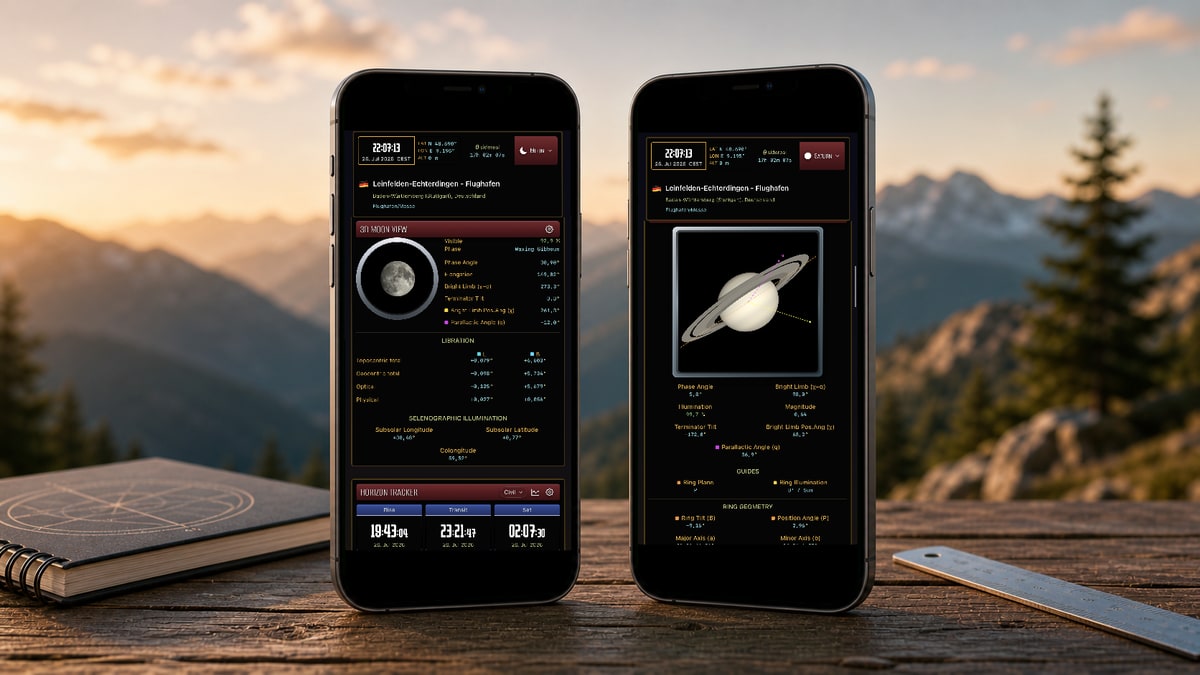


- calculation-based 3D views of the Moon and planets
- lunar phase, illumination, libration, terminator, and orientation
- Saturn's ring geometry and illumination
- the Galilean moons and Saturn's moons
- planet positions in the sky and within the Solar System
Follow the shadow worldwide—and simulate the event for your location.
Explore solar and lunar eclipses globally or for a chosen location. Maps show the path and visibility zones. Local circumstances show the beginning, maximum, and end. Visual simulations make obscuration, dimming, and the path of the shadow easy to understand.
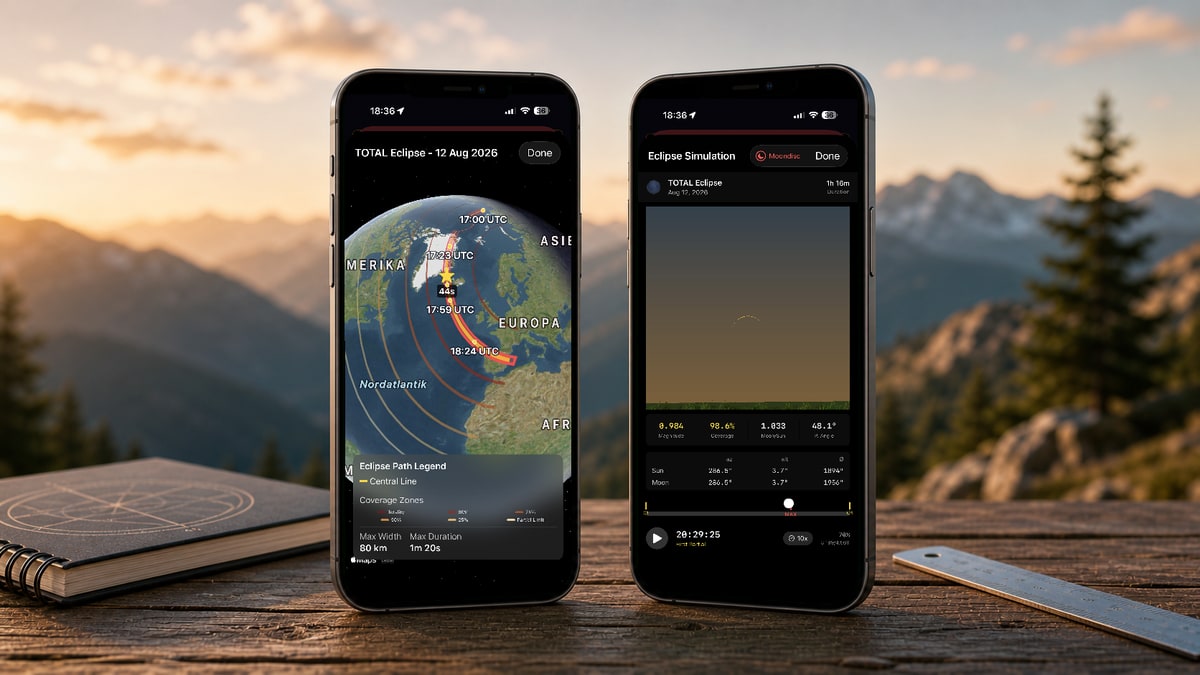


- global solar-eclipse paths and visibility zones
- local visibility and contact times
- time-controlled simulations of solar and lunar eclipses
- shadow progression during partial and total lunar eclipses
- comparison of the apparent angular sizes of the Sun and Moon
Watchlists and alerts
Keep the objects and values that matter to you in view.
Create personal watchlists for the Sun, Moon, planets, Pluto, Chiron, and stars. Choose the astronomical values you want to compare, sort your list, and set thresholds for important observing moments.
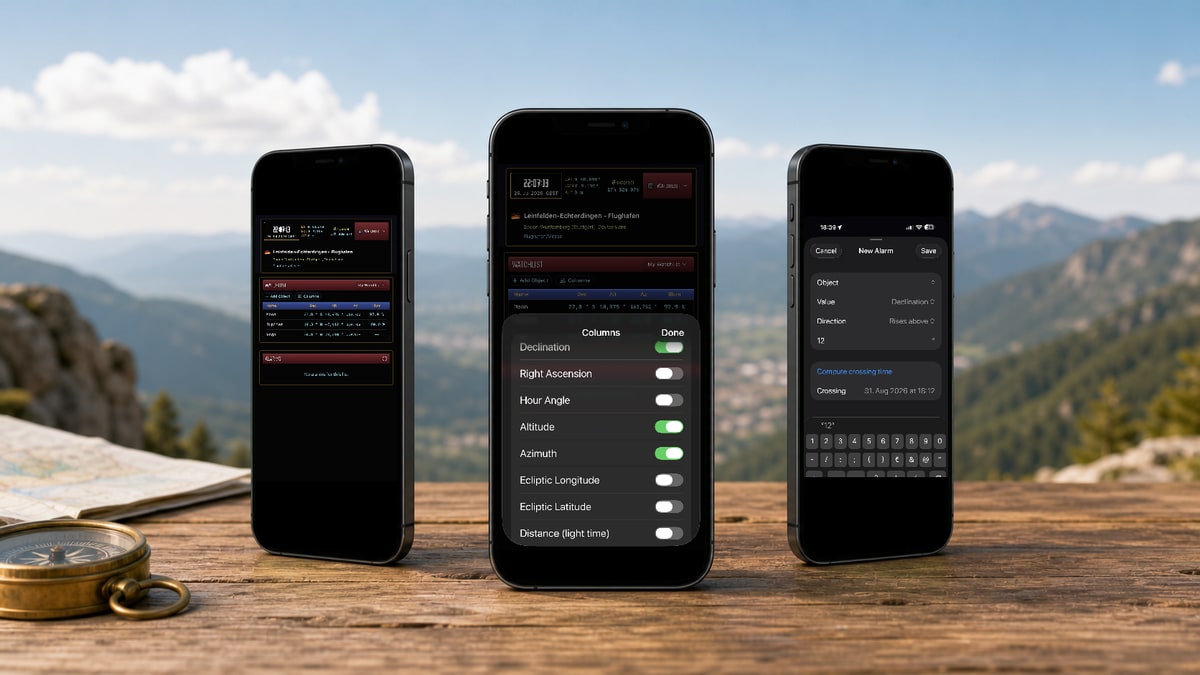


- multiple personal watchlists
- freely selected celestial objects
- up to 15 selectable value columns
- sorting by relevant astronomical values
- alerts when a value reaches, exceeds, or falls below a threshold
- local notifications for supported measurements
Example
Receive a notification when an object reaches a desired altitude, moves above or below a defined brightness threshold, or another supported value reaches your threshold.
For places where the sky is dark and the network is weak
Your astronomical calculations stay on your device.
All astronomical calculations and observing features are available offline. Your location and settings are processed locally. Apphemeride requires no account of its own, contains no advertising, and uses no tracking or analytics. Only street and address searches and online map data require an internet connection and may send technical requests to Apple services.
Does Apphemeride work without an internet connection?
All astronomical calculations and observing features are available offline. Only street and address searches and online map data require an internet connection.
Which celestial objects can I explore?
Apphemeride includes the Sun, Moon, planets, Pluto, Chiron, and more than 9,000 stars. Depending on the object, available values include position, visibility, coordinates, phase, brightness, distance, and rates of change.
Can I calculate for another location or time?
Yes. Use your current location, an address, or exact coordinates, and choose any date and time. You can display times in the selected location's time zone or your system time zone.
Can the app help with observing and astrophotography?
Yes. Event scanners, the sky map, and Horizon Tracker show when an event can be seen or photographed, how high it will be, and which direction to look.
Can I save the objects and values that matter most to me?
Yes. Watchlists combine selected celestial objects with the astronomical values you want to follow. You can also create value-based alerts for supported measurements.
How can I try Apphemeride?
You can try every astronomy feature for three days. After that, permanent full access can be unlocked with a one-time purchase. The App Store shows the current price.
Is personal data collected?
According to the developer, Apphemeride does not collect data. Location calculations and settings are processed locally. Apphemeride requires no account of its own, contains no advertising, and uses no tracking or analytics. Address searches, online maps, and purchases use Apple services.
Discover how much of the sky Apphemeride puts within reach.
Try every astronomy feature for three days. If Apphemeride fits the way you work, you can then unlock permanent full access with a one-time purchase. The App Store shows the current price.